Tuesday, October 9, 2012

Grade 11: Born Into Brothels Extended Cut

All information in this post has been gathered from the Amnesty International Curriculum Guide for the Born into Brothels documentary.
Gour, 13 "Running"

Kochi, 10 "Babai"

This lesson focuses on the power of art as a form of personal expression in the transformation of the lives of children who have suffered painful or traumatic pasts. Experiencing traumatic circumstances can lead to overwhelming feelings of chaos, helplessness and fear, and any form of art can serve as a means to overcome such feelings. In an interview with Zana Briski, co-producer of the documentary, she explained what this process meant to her. “For me personally, photography is a means of transformation. It is very personal and regardless of the project that I did—I taught photography because I am a photographer, it could have been music, it could have been dance, any form of art. And at Kids with Cameras, we really encourage people to take whatever skill they have, whatever knowledge they have, and to have it…[A]ny form of art can be used as a means of transformation…It isn’t really about how to earn a living. It isn’t about taking a formal portrait. This is expressing yourself and being open to what is around you and just learning.”

 Please read the case studies on this link.
(You may skip the last section on pg 34 about the "Fugees Soccer Team")

Using information from the film and the case studies complete the following activity. Post your responses in a new blog post titled "Photography with a Message".

Kids with Cameras Gallery

Kochi, 10 "Up the Stairs"


Monday, October 8, 2012

Grade 11: Help With Journal #4

Journal #4 is due today at midnight. I know some of you are having difficulty in understanding what I wanted, so here is an example using pictures I took over thanksgiving. Keep in mind you only need 3 pictures (one small, one medium and one large aperture pic)

Large Aperture pictures emphasize the focal point and blur a large part of the picture. Aperture is the setting on the camera. Depth of field refers to how the picture looks as a result. Large aperture settings have a very small depth of field, meaning only a small amount of the picture is in focus. It can be the closest thing or the furthest thing from you.

Aperture f2.8

Aperture f2.8 Notice it is the middle distance in this picture that is in focus.

 Aperture f4.5 (I was at ground level when I took this picture and I focused on the closest leaf to me. Compare to the leaves picture below)

Medium Aperture Settings create a picture where a large part of the picture is in focus and a smaller part is unfocused. This still emphasizes part of the picture but it is less obvious.
Aperture f8
Aperture f5.6 (I was standing over top of the leaves, because they are almost all the same distance away from me,about 3 feet, they are all in focus. Only the last few green leaves, which were slightly further away, are a bit less focused than the red ones.)

Small Aperture pictures will have almost everything near and far in focus. These are effective in pictures where the background is as important as the foreground.
Aperture f11 (I wanted the words on the Fenelon Cinemas sign as well as the water tower to be clear as well as the texture of the buildings and the trees)
f11 (I wanted both the leaves on the surface of the water, the reflection in the water of the trees and sky and below the surface to be visible at the same time)

Tuesday, October 2, 2012

Exposure Detective Challenge

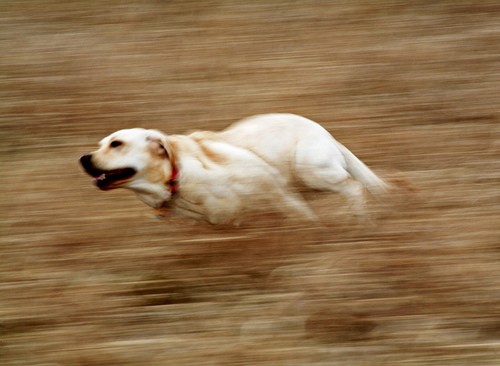
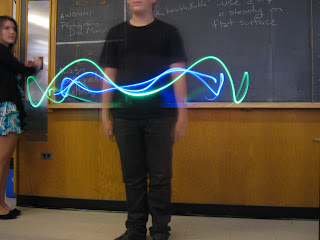
Today's challenge is to look at a picture and try to determine what aperture and shutter speed was used. I have given you some tips and clues below to help..

Example:

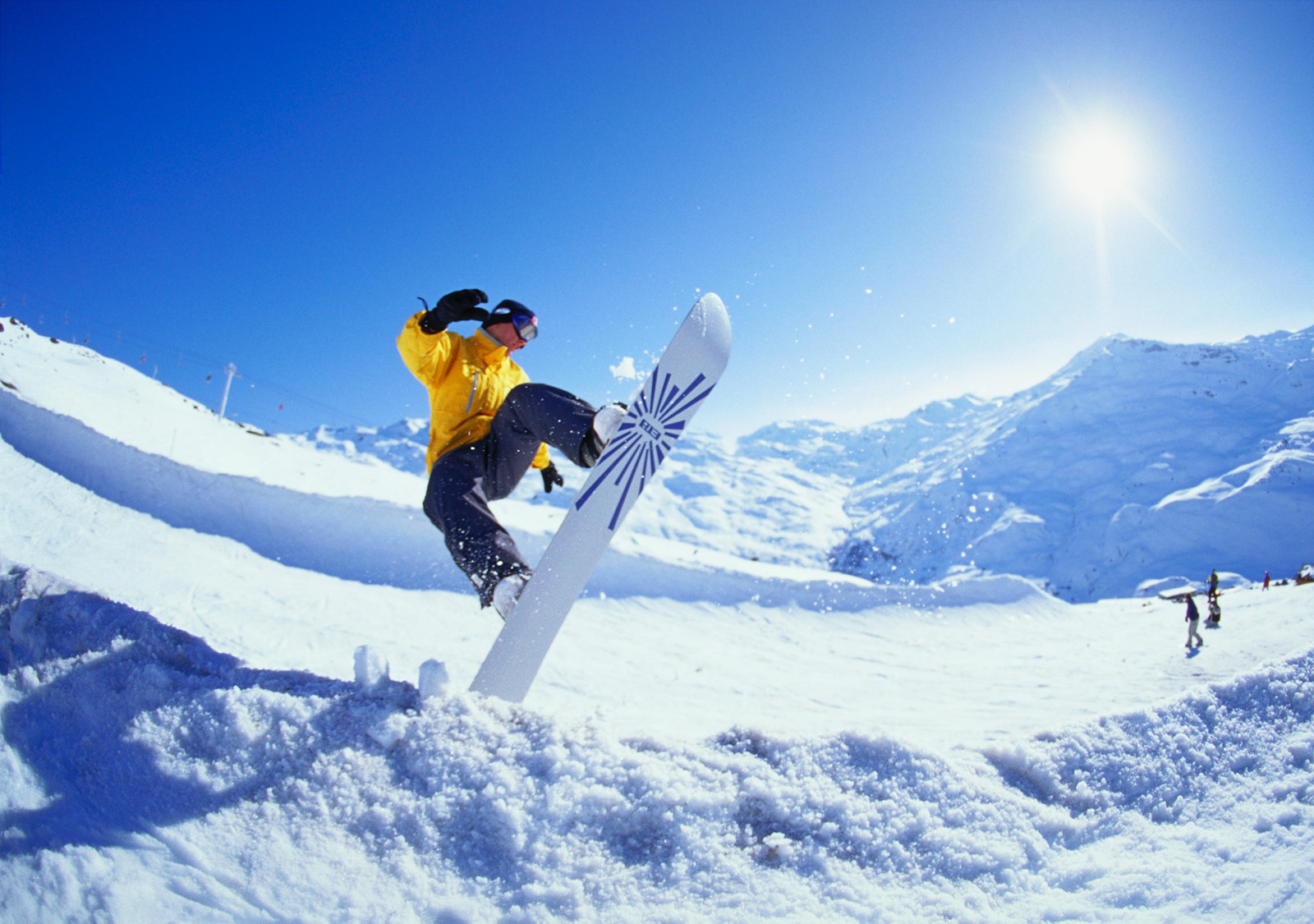
My Comments: I think this picture is using a fast shutter speed between 1/500 and 1/1000 because the quickly moving subject is frozen.  The background is out of focus so this tells me the aperture is on the larger end, between f2 and f4. You would also need a wide open aperture to get enough light into the camera in such a short time span.

Clues for Shutter Speed:
  • is anything in the picture blurred? Use your judgement and decide it blurred because a very long exposure like 8 seconds or blurred because the subject is moving extremely quickly? In the case of fast objects blur can be captured at even 1/100 second exposures.
  • is their a panning effect? Chances are good you have a slow exposure .
  •  is the subject frozen in a way that would normally happen to quickly to see? A very fast (1/500 -1/1000) exposure was probably used.
Clues for Aperture Settings:
  •  is there a shallow depth of field ? (An out of focus background?) This is a clue that a large aperture ex: f2.8 was used.
  •  Is everything near and far in focus? The opposite is true.
Overall Clues:
  • Pay attention to the light. If the picture has an obvious high shutter speed and is nice and bright this means that the aperture must have been wide open.
  • Remember your own experiments, what settings did you use?
Your Challenge
Respond by telling me what approximate settings you think were used for each of the following pictures In the comments section. (Support with evidence!)
#1


#2


#3


#4

Monday, October 1, 2012

Journal #4 and other Important Class Info

Everyone MUST READ THIS!!
First and foremost be sure that you have read the previous post before you begin new work. Some important changes have been made to it in the past 24 hours. I am currently doing my civic duty serving on a Jury and as much as I miss my awesome photography class I will be away for the next little while. Please email me questions if you need help with anything at larissa.turcotte@dsbn.org . I have a break three times a day so I may be able to respond during the class. Don't get stuck on little details, be proactive and find out what needs to be done.

Grade 12's Photograms and Journal 4
Continue to work on your Photogram Assignment. Hannah and Nesta you will need to mix a new batch of developer using the one part developer to nine parts water ratio. Please develop one small piece of "virgin" paper to ensure that the mixture is correct and that the stack of paper has not been  exposed to light. I am concerned about this because you first attempts came out totally black. Your test strip should be white if everything is functioning properly.  You now have until Thursday to submit this.
Hannah and Taylor be sure that you are prepared for Photographing the Mayor's Breakfast Wednesday morning. A minimum of five refined pictures from this event will be your Journal 4. Save all of the photos you take on your M Drive, they will be used by the event coordinators. Nesta be prepared to write the Unit One test tomorrow morning. Your Journal 4 and 5 will be connected to your vacation. Please email me directly for further instructions.

Journal 4: The Eye of the Camera/ Aperture Control
Last week we focused on shutter speed controls, this week we are going to focus on aperture control.
The aperture setting controls:
1. The amount of light that enters the camera

2.  AND the "Depth of Field" Depth of field or D.O.F. is how much of the picture is in focus. For example:


The next few lessons will deal with how to control aperture correctly and when and why this is done.
Journal #4 is to take three photos over the holiday long weekend. One with a small D.O.F. f2.8 (Depth of field), one with medium D.O.F. f5.6 and one with a large D.O.F. f16. Journals will be graded for technical aspects like correct exposure and creative subject matter. Each photo should be of a different subject.

Required Reading for today
Questions and Activity

Sunday, September 30, 2012

Fun With Fire: Journal 3 Round-up and Shutter Speed Assignments

I'm seeing some fantastic shutter speed journals and assignments trickle in!


Zoe A (one of the most successfull strobe shots)
I have Jury Duty this week so I would like you all to continue to finish up Journal 3 and work on editing your final Shutter Speed assignment in Photoshop. See the teacher for a key to the supply closet if you need to take photos off of the memory cards in the school cameras. Let's keep it simple for now, using the same techniques you learned last week.
  • Crop your picture if there is extra/distracting background
  • Adjust Lighting under the Enhance Menu (We are looking for sharp contrast)
  • Adjust Colour Setting under the "enhance menu" to bring up Colour Saturation if needed.
  • Submit final product on your blog under a new post titled "Shutter Speed Assignment" and include important info like shutter speed and lighting conditions.
I would like to display some of the best examples from this assignment on the TV in Front Row, so if you are finished everything you can begin to work on a Title Page for yourself.

In Photoshop open a new file that is 10 inches wide and 8 inches tall and 600 dpi.
Under the select menu select all.
Use the paint bucket to fill the entire background black.
Write your name, the title of your work and (your grade) Photography.

Here are some of my light painting experiments from this weekend:

Tuesday, September 25, 2012

Basic Shutter Speed Information

Our eyes see at a "shutter speed" of around 1/30 second.
So images of moving subjects shot at 1/30 or thereabouts look "normal."
 Photo by Mike Stensvold

If we shoot at a faster shutter speed,
the camera freezes the motion is a way our eyes can't.
 Photo by Mike Stensvold

If we shoot the moving subject at a slower shutter speed,
 the camera blurs the motion in a way our eyes don't.
Photo by Mike Stensvold

Sunday, September 23, 2012

Making the Invisible Visible: Shutter Speeds Journal #3

We see with the human eye, a world perpetually in motion, where one moment passes seamlessly into the next. Photography offers an alternative where we can freeze a moment in time. More than this it has the ablity to reveal things that the humble eyeball cannot.

Fast Shutter Speed
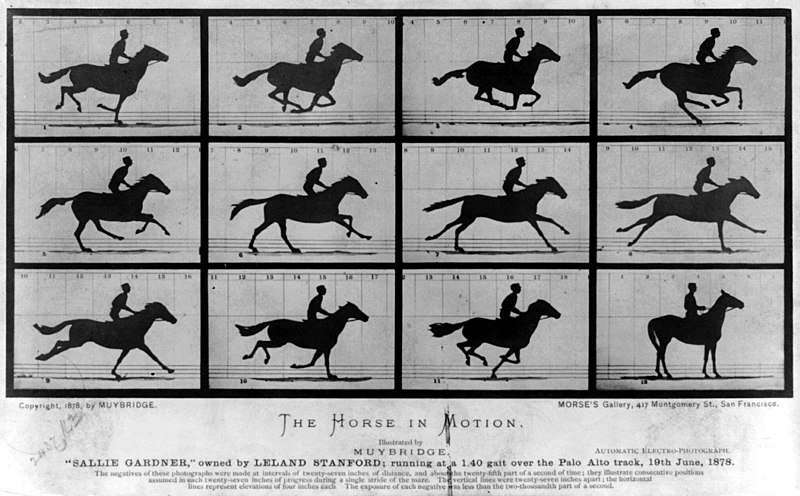
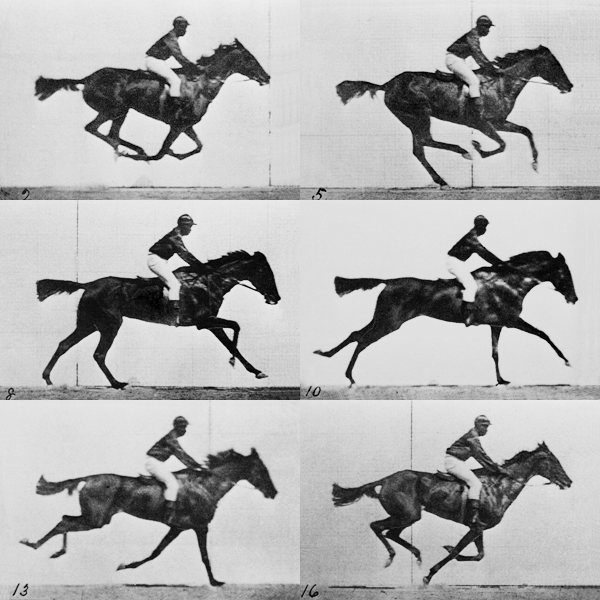
Eadweard Muybridge an innovator in Film and Photography was hired in the late 1800's to photograph a horse in motion to settle the scientific question of wheather they lifted all four feet off of the ground when running. The eye is literally incapable of breaking down the rapid motion. The resulting series of photographs is also one of the first examples of moving pictures.
A more modern example seen here by Seth Casteel demonstrates the tranformative power of freezing a moment in time.Check the link for a scarily funny series.
Slow Shutter Speeds
On the other end of the spectrum when the shutter is left open for a longer period of time it reveals the path of objects in motion.
Great Gallery of moths being drawn to light by Marc Driesenga...

Journal #3
Grade 11
We will be experimenting with a variety of shutter speed techniques this week. Your journal contribution will be to upload a discuss the process behind a minimum of 3 of the photographs you take this week in class.

Grade 12 
 Research the work of Edweard Muybridge and explain the influnce he had on the work of the art genre called "The Futurists". Start your research with "chronophotography" and then look for futurist paintings that have a similar look and feel.  Use a minimum of 4 pictures to illustrate the connection and a one to two paragraph response.
See the following links for help: